


Poster Maker - Flyer Creator
4.7242.00 Reviews
App Specs
- Version
- 1.4.4
- Updated On
- License
- Free
- Downloads
- 10,000,000+
- Developer
- ZipoApps
- Categories
- Art & Design
- Platform
- Android, iOS
Screenshots
 Analysis by AppCompare
Ever found yourself in need of a quick and easy way to create eye-catching posters or flyers without having to dive into the complexities of Photoshop? Well, let me introduce you to Poster Maker - Flyer Creator. This nifty app is a game-changer for anyone looking to design on the go. I decided to give it a whirl, and here's a breakdown of my experience with it.
Getting Started with Poster Maker - Flyer Creator
First things first, downloading and installing the app was a breeze. Available on both Android and iOS, it's just a few taps away in your app store. Once installed, you're welcomed with a clean and user-friendly interface. I immediately appreciated how intuitive it was — no need to wade through complicated menus or tutorials here.
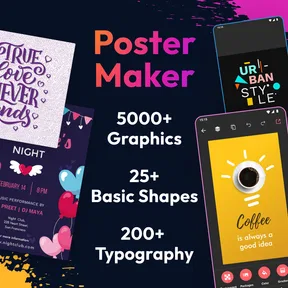
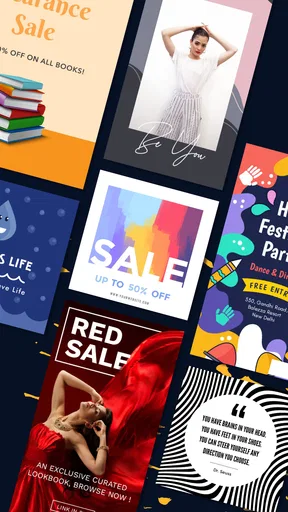
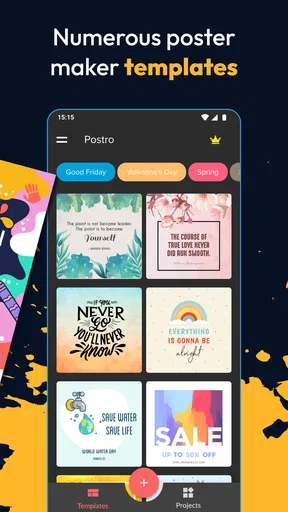
The app offers a plethora of templates to choose from. Whether you need something for a business event, a party, or just a creative project, there's something for everyone. I was particularly impressed by the variety. They cater to different tastes and themes, making it super convenient to find the right fit for your project.
Designing Your Masterpiece
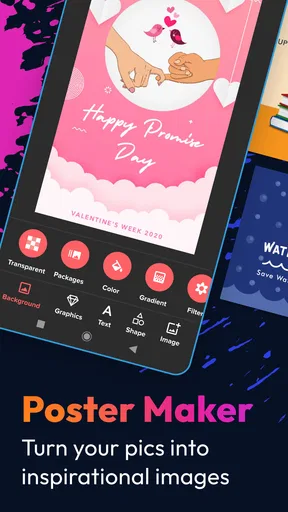
Diving into the design aspect, the app provides a rich set of customization options. You can tweak everything from the background and fonts to the images and stickers. The drag-and-drop functionality is smooth, and I found it easy to align and adjust elements just the way I wanted.
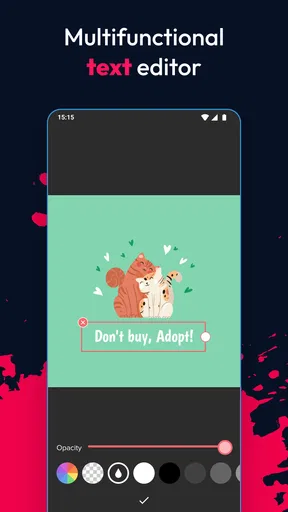
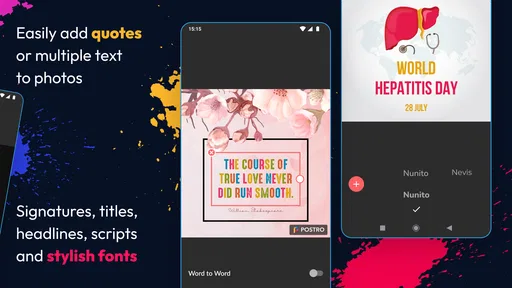
What really stands out is the app's font library. With a wide selection, you can play around with different typefaces that suit your style. Plus, you can adjust the text size, color, and alignment with just a few taps. It’s amazing how much you can do without feeling overwhelmed.
Features That Shine
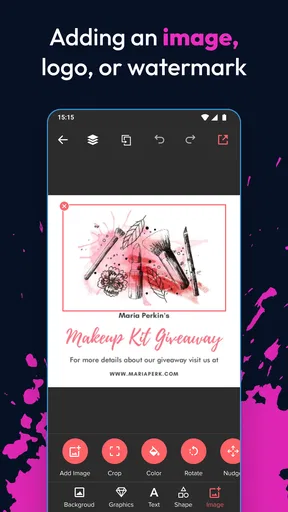
One of the standout features is the ability to import your own images. This allows for a truly personalized touch. Whether it's a logo for your business or a cute picture of your pet, incorporating personal elements is straightforward and effective.
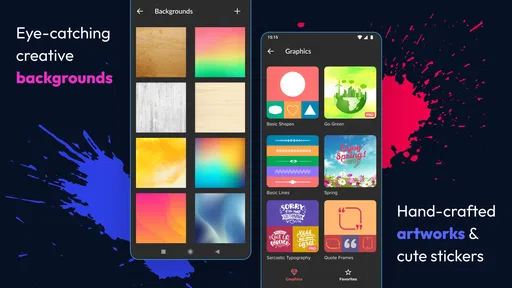
Another cool feature is the app’s array of stickers and graphics. These are handy for adding flair and vibrancy to your designs. I found that using these elements creatively can really make a poster pop and capture attention.
Worth Reading Before You Choose

Flipboard Shows What News Apps Must Do Beyond the Feed

Switching to Android Auto Means Rethinking Your Driving Routine

Google Calendar Makes a Crowded Week Easier to Manage

Ludo King Makes the Most of the Minutes Between Plans

Baby Panda World Brings Quick Play to Modern Phones, but Its Game Library Feels Busy

ESPN’s Live Game View Makes Following Close Games Easier
For those who want a bit more control, the app also offers layering options. This means you can stack different elements on top of each other and adjust their order, much like in professional design software. It's a handy tool for those more detailed projects.
Sharing and Saving
Once your poster is ready to go, sharing it is a cinch. The app lets you directly share your creation on social media or save it to your device. This seamless integration with platforms like Instagram and Facebook is perfect for quickly getting your designs out to the world.
I found the quality of the saved images to be excellent. The app maintains high resolution, ensuring your designs look professional whether viewed on a screen or printed out. This is a crucial feature if you're using the app for business purposes.
Final Thoughts
Overall, Poster Maker - Flyer Creator is a fantastic tool for anyone wanting to create stunning visuals without the hassle of complicated software. It's accessible, fun to use, and packed with features that cater to both beginners and more experienced designers alike.
The app is perfect for those spur-of-the-moment projects or when you’re on a tight deadline. It’s a reliable companion that delivers quality results with minimal effort. So, if you're looking for an app that combines simplicity with powerful design capabilities, give Poster Maker - Flyer Creator a try. You might just find it becomes your go-to design tool!
Pros
- User-friendly interface for quick design.
- Wide variety of templates available.
- High-quality export options.
- Customizable fonts and colors.
- Built-in photo editing tools.
Cons
- Limited free version features.
- Occasional in-app ads.
- Requires internet for template updates.
- Some templates need premium purchase.
- Limited stock image library.
FAQs for Poster Maker - Flyer Creator
What features does Poster Maker - Flyer Creator offer?
Poster Maker - Flyer Creator provides a wide range of features including customizable templates, a vast library of fonts and graphics, and editing tools for adjusting colors, backgrounds, and layouts. Users can easily create professional-looking posters, flyers, and social media graphics with intuitive drag-and-drop functionality.
Is Poster Maker - Flyer Creator suitable for beginners?
Yes, Poster Maker - Flyer Creator is designed with user-friendliness in mind, making it suitable for beginners. The app offers a straightforward interface and guided tutorials to help users navigate through the design process, ensuring that even those with no design experience can create stunning visuals.
Are there any costs associated with using Poster Maker - Flyer Creator?
Poster Maker - Flyer Creator offers a free version with basic features, but also provides in-app purchases for premium content and tools. Users can opt for a subscription model to access a wider range of templates, advanced editing features, and an ad-free experience, enhancing their design capabilities.
Can I use my own images and fonts in the app?
Yes, Poster Maker - Flyer Creator allows users to upload their own images and fonts, giving them complete creative freedom. This feature is particularly useful for those looking to incorporate personalized elements into their designs, ensuring that the final product is unique and tailored to specific needs.
Is it possible to share my creations directly from the app?
Absolutely! Poster Maker - Flyer Creator enables users to share their finished designs directly from the app to various social media platforms, email, or save them to their device. This seamless sharing capability makes it easy to distribute your creations quickly and efficiently, reaching your audience in no time.


